The Interface
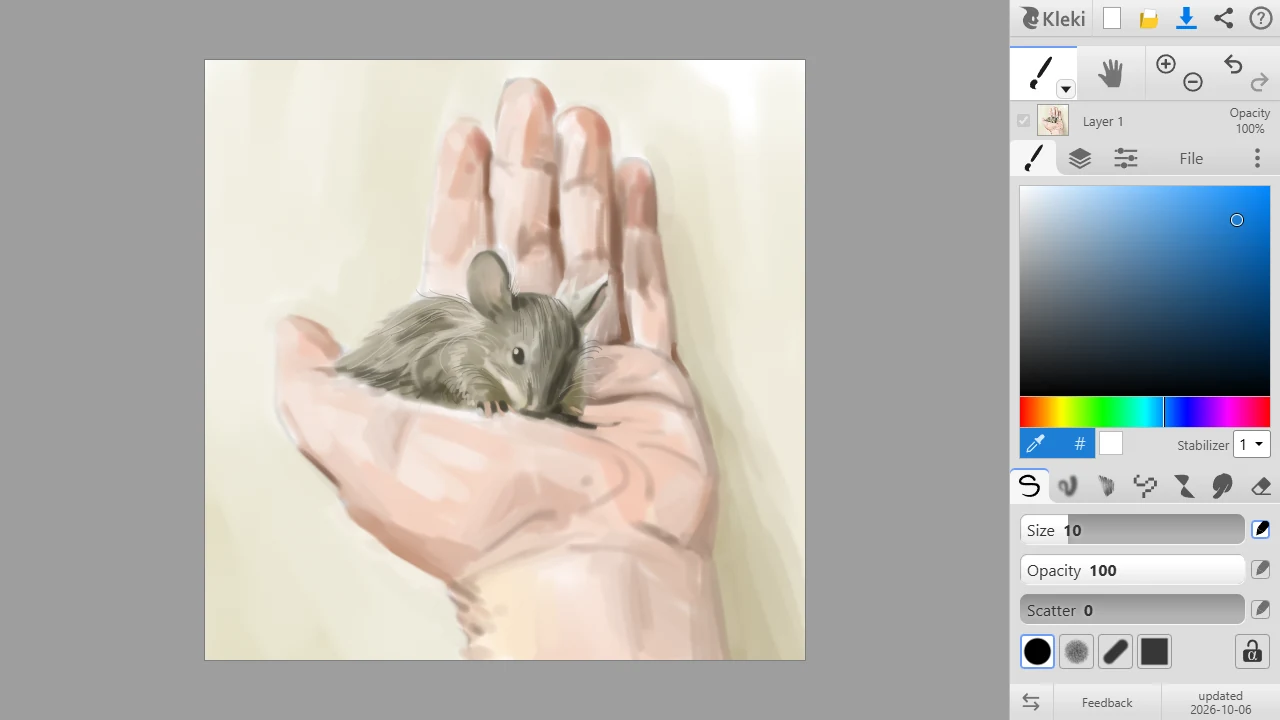
Kleki keeps all its controls in one panel next to the canvas. Most buttons are icons. Hover over one to see its name and keyboard shortcut.
Top Row
Section titled “Top Row”| Button | What it does |
|---|---|
| Kleki logo | Opens the Kleki home page. |
 New New | Starts a new image. |
 Import Import | Opens an image or PSD file. See Importing Images. |
 Save Save | Saves your image as a file. See Saving Your Work. |
 Share Share | Sends your image to another app, if your browser supports it. See Sharing. |
 Help Help | Opens the help. |
Tool Row
Section titled “Tool Row” Brush and the other tools. Click the small arrow next to the tool, or click the active tool again, to open the list of More Tools. See Tools.
 Hand Tool (H) for moving the view.
 Zoom and
  Undo/Redo.
The brush tab also has the color picker and the Stabilizer. See Color and Input Devices & Stabilizer.
| Tab | What’s in it |
|---|---|
| First tab | The settings of the active tool. Its icon changes with the tool. |
 Layers Layers | The layer list and layer options. See Layers. |
 Edit Edit | Copy, paste, and filters. See Edit Tab. |
| File | New, import, save, browser storage, recovery, upload, and share. |
 Settings Settings | Language, theme, and more. See Settings. |
At the bottom of the panel are  Switch left/right UI and a few links, such as the changelog.
Mobile View
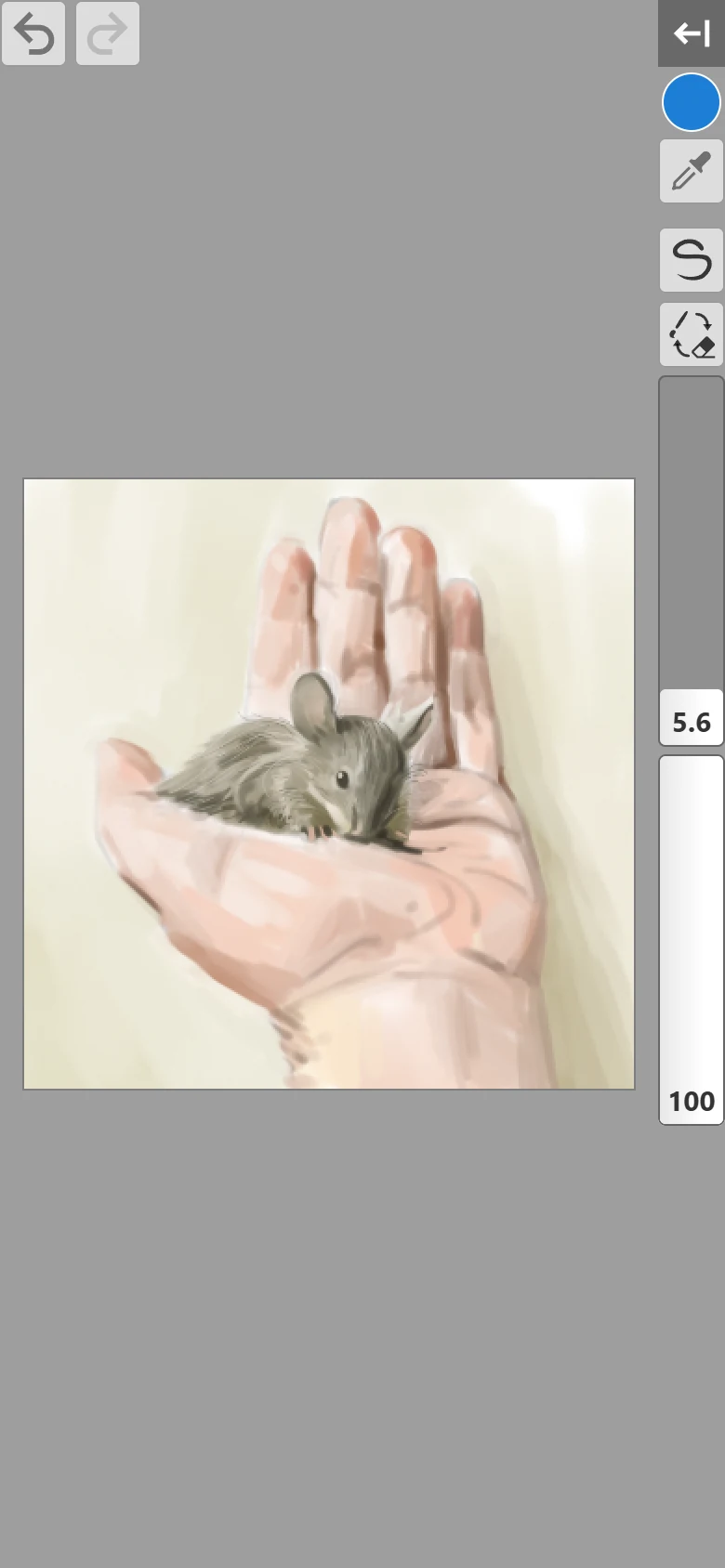
Section titled “Mobile View”On small screens, such as phones, the tool panel takes up a lot of room. Tap  Show/Hide Tools to hide it. Kleki then shows compact controls on the canvas instead, and remembers your choice:
- Show/Hide Tools brings the full tool panel back.
- A color circle opens the color picker.
 Eyedropper picks a color from the canvas.
 - A tool button lets you pick any brush or tool.
 Brush / Eraser switches between your brush and the eraser.
- Size and Opacity sliders for the brush.
- Undo and Redo. You can also tap with two fingers to undo, and with three fingers to redo.
See Keyboard & Touch Shortcuts for all touch gestures.
If you accidentally zoom the whole page instead of the canvas, Kleki shows “Double-tap or pinch in to reset browser zoom.”
Left-Handed Use
Section titled “Left-Handed Use”Click Switch left/right UI at the bottom of the panel or in Settings to move the panel to the other side. Kleki remembers your choice.